
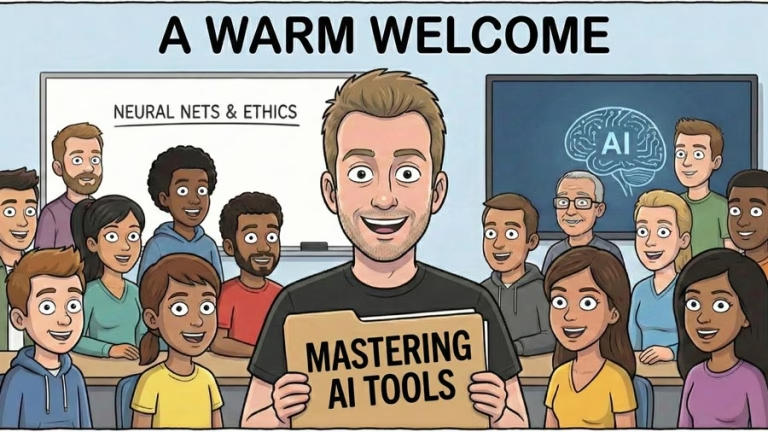
From Overwhelm to Ownership: Inside “Mastering AI Tools” by Rupert Chesman
AI shows up everywhere now. In draft emails. In slide decks. In research summaries. In creative brainstorming sessions late at night. For many professionals, it feels like the ground is shifting under their feet. There is curiosity, yes. There is also pressure.
Rupert Chesman’s course, “Mastering AI Tools,” was created for that exact moment. It is designed to help people move from uncertainty to steady, confident use of AI in their everyday work. The focus is practical. The tone is calm. The structure is thoughtful.
This is not a course built on buzzwords. It is built on understanding.
At its core, the program follows a simple principle: clarity comes first. Tools come second. Confidence follows naturally.
Building Real Understanding Before Chasing Tools
A lot of AI education jumps straight into tricks and shortcuts. That can feel exciting at first. Yet without understanding how these systems behave, people often find themselves confused when outputs go wrong or tools change.
Rupert takes a different route.
In the first week, students explore the foundations of large language models in clear, accessible language. There is no heavy theory. There is no complex math. Instead, learners gain a grounded sense of how AI is trained, what happens after training, and why hallucinations occur.
That understanding matters. When someone knows why AI sometimes produces inaccurate information, they can respond with better prompts, stronger verification habits, and more realistic expectations. The technology becomes less mysterious. It becomes manageable.
The course also teaches how to reduce errors and improve reliability. Students learn prompt structures that consistently produce stronger results. They begin to see patterns. They gain control.
It is empowering.
Turning Prompts into Practical Workflows
Once the foundation is set, the course moves into hands-on application. This is where confidence really starts to build.
Students learn how to create prompts that are structured and reusable. Instead of typing vague instructions and hoping for the best, they develop templates they can copy, paste, and adapt for real tasks. These include writing drafts, summarising reports, refining ideas, and supporting decisions.
The emphasis goes beyond individual prompts. Rupert introduces the idea of workflows. A workflow connects multiple AI interactions into a repeatable process. For example, researching a topic might involve outlining key questions, generating summaries, verifying sources, and refining a final output. When learners understand that flow, they save time and improve quality.
The course also helps participants navigate the growing landscape of AI tools. Text generators, image creators, research assistants, slide builders, planning tools. The options can feel endless. Rupert guides students in choosing the right tool for the right job without chasing every new release. That clarity reduces overwhelm.
By the end of the second week, AI begins to feel less like a novelty and more like a reliable assistant.
Beyond Text: Images, Agents, and Safe Usage
AI today goes far beyond written content. In Week 3, the course expands into visual tools. Students explore image prompting fundamentals and practical applications such as moodboards, storyboards, and creative variations. They gain a realistic sense of what is achievable now and what still requires human judgment.
The program keeps expectations grounded. It avoids hype and focuses on usefulness.
Week 4 introduces workflows at a higher level. Participants learn about agents and automation, and when those approaches make sense. They also explore guardrails, including privacy, confidentiality, and ethical usage patterns. This is particularly important for professionals working with sensitive information.
The course concludes by helping each student build a personal AI playbook. That includes templates, next steps, and a structured approach they can continue using long after the sessions end.
The outcome is simple. AI becomes part of their toolkit, integrated thoughtfully into daily work.
A Format That Respects Busy Schedules
“Mastering AI Tools” runs over four weeks with two live sessions each week, for a total of eight sessions. It begins the week of 23rd February 2026, with live Tuesday and Thursday morning options depending on the learner’s city.
Each session combines short demonstrations, practical exercises, Q&A, and ready-to-use templates. Recordings and resources are shared inside Circle, so participants can revisit lessons whenever needed.
For $150 USD, students receive access to all eight live sessions, prompt and workflow templates, cheat sheets covering safety and quality best practices, and entry into a supportive community space.
That community plays a powerful role. Learning AI alone can feel isolating. In a shared environment, participants celebrate small wins, ask questions openly, and grow together.
Rupert Chesman’s Approach to Teaching AI
Rupert Chesman describes himself as a filmmaker by trade and a futurist by necessity. His professional journey spans traditional film production and the evolving world of generative AI. He has taught CEOs, universities, and diverse groups across Australia.
He is also a father, and that perspective shapes his philosophy. For him, technology is a tool for strengthening human connection. Whether he is guiding executives through AI adoption or building tools to support autistic non-speakers, the goal remains consistent: use technology to amplify human creativity and communication.
Past students consistently describe him as engaging and clear. One corporate participant called him a very engaging facilitator. Another attendee shared that AI finally made sense after his explanation. Workshop students have praised his time management and hands-on style.
For professionals, creatives, educators, and leaders who want to stop feeling lost in AI headlines and start using these tools effectively, “Mastering AI Tools” offers a steady, structured path forward.
It replaces confusion with clarity. It replaces hesitation with skill. And it turns AI into something practical, safe, and genuinely useful in everyday work.
Knowledge grows when shared. Please Pass it on!

Discover more from Paxjones
Subscribe to get the latest posts sent to your email.